With a fine blend of shades of black, white and blue this template gives your blog a professional look. Blog posts are displayed neatly on a white background. There is a sidebar on the right which can contain as many widgets as you like. There is a navigation bar on the top right side that gives your blog a website-like look. Also included is a favicon that would distinguishes your blog from other blogs and gives it a more professional look. The comments on your posts are displayed on a separate background which is completely customizable. When you download the template you also get the banner image so that you can modify it to display your blog title.
Showing posts with label About. Show all posts
Showing posts with label About. Show all posts
Here are the steps you can follow if you wish to customize this template when you use it for your own blog.
Change the date display format- To change the date display format such that it suits this template follow these steps:
- Go to Dashboard=>Settings=>Formatting
- Change the Date Header Format to the second option in the dropdown menu (June 8, 2009)
- Save Settings
- Go to Dashboard=>Settings=>Comments
- Change the Comment Form Placement to Pop-up window
- Save settings
- Go to Dashboard=>Layout=>Edit HTML
- Search for
<li><a href='YOURLINKHERE'>Home</a></li>
<li><a href='YOURLINKHERE'>About</a></li>
<li><a href='YOURLINKHERE'>Download</a></li>
<li><a href='YOURLINKHERE'>Reviews</a></li> - Replace the text in green to the url of the location where it leads and the text in orange to the name of the button.
- Save Template
Change the Subscription Link: To change the subscription link to display feeds from your blog:
- Go to Dashboard=>Layoout=>Edit HTML
- Search for
<div id='rssbox'>
<a href='http://tryingskills.blogspot.com/feeds/posts/default?alt=rss'><img alt='Subscribe' src='http://lh5.ggpht.com/_qj_peLuSvqA/Sit9eykibEI/AAAAAAAAAF4/jP33tdGGpgI/Button-subs.png' style='vertical-align:middle'/></a>
</div> - Replace the text in green with the title of your blog
<div id='rssbox'>
<a href='http://blogname.blogspot.com/feeds/posts/default?alt=rss'><img alt='Subscribe' src='http://lh5.ggpht.com/_qj_peLuSvqA/Sit9eykibEI/AAAAAAAAAF4/jP33tdGGpgI/Button-subs.png' style='vertical-align:middle'/></a>
</div> - Save Template
- Edit the image banner.jpg that comes along with this template using a photo editing software to display your blog title.
- Upload the image to some image hosting site like imageshack
- Search for the following in the Dashboard=>Layout=>Edit HTML
.top {
height:200px;
margin-top:0px;
background:url(http://lh5.ggpht.com/_qj_peLuSvqA/SivRM6gekHI/AAAAAAAAAG8/uu-87Y8WYh4/1-banner3.jpg);
background repeat: none;
border-top:0px solid #BEC4C4;
} - Replace the url in green with the url of your image
Please leave a comment below to let us know what you think about this template. If you have any troubles or you seek assistance please leave a comment below. We shall try to answer your queries as soon as possible.
Subscribe to:
Posts (Atom)

About Me
- The Developer
- Hello! This is the demo of the blogger template. Hope you guys like it!
Categories
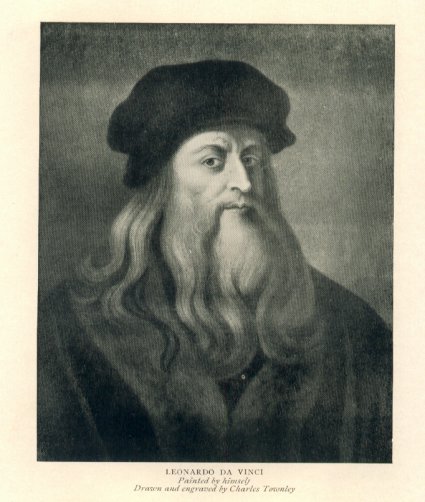
The Mona Lisa

Credits
This template is protected by Creative Common Attribution License. Originally it was a wordpress template by Jinson and was converted to Blogger by Blogger Templates. It was adapted by Amulya Khare (visit website..) and modified to this version.
Click for Technical Assistance
Click for Technical Assistance